Create a Baby's First Year Slideshow
From the first sleepy newborn gaze to those wobbly first steps, your baby's inaugural year is a breathtaking whirlwind of growth, discovery, and unforgettable moments. Capturing these fleeting stages is something every parent tries to do, but what happens to all those precious photos and videos? Often, they remain tucked away on phones or hard drives, rarely revisited. This is where a **baby first year slideshow** comes in—a magical way to gather all those memories into a single, heartwarming keepsake. Imagine reliving that entire year in one beautiful, cinematic journey, complete with emotional music and smooth transitions. It's more than just a collection of pictures; it's a narrative, a celebration of every giggle, milestone, and tender embrace. This guide will walk you through everything you need to create a truly special slideshow that you and your family will cherish for a lifetime, transforming scattered snapshots into a cohesive and moving story of your baby's incredible first year.
- →Gather your favorite photos and short video clips from your baby's first year, ensuring a good mix of milestones and everyday moments.
- →Select music that evokes the right emotions—sweet, nostalgic, and uplifting. Aim for 3-5 songs to cover a 5-7 minute slideshow.
- →Organize your content chronologically to show growth, and use a free online tool to easily assemble your slideshow with professional touches.
- →Share your finished slideshow with family and friends as a cherished digital or physical keepsake.
1. Why Create a Baby's First Year Slideshow?
A baby's first year is arguably the most transformative period of their life, and yours! From the moment they arrive, every day brings a new development: a first smile, rolling over, sitting up, crawling, their first solid food experiment (and the mess that follows!), standing, waving, and maybe even a few tentative steps. These are monumental achievements that often feel like they happen in the blink of an eye. A **baby first year slideshow** serves as a vital time capsule, allowing you to relive these moments and share them with loved ones, near and far. It's not just for immediate family; grandparents, aunts, uncles, and close friends will adore seeing your little one's journey unfold. Plus, in years to come, your child will have a beautifully presented record of their earliest days, a tangible connection to their own beginnings.
- **Relive Precious Memories:** Revisit those fleeting baby stages you might have already forgotten.
- **Share with Loved Ones:** A perfect way for distant family to feel connected to your baby's growth.
- **Celebrate Milestones:** Document every major first, from smiles to steps, in one cohesive narrative.
- **Create a Timeless Keepsake:** A cherished video that will be watched and re-watched for years to come.
- **Easy & Accessible:** Modern tools make creating a high-quality slideshow simpler than ever before.
2. Gathering & Curating Your Memories: What to Include
This is often the most time-consuming but rewarding part: sifting through hundreds, if not thousands, of photos and videos! Don't feel overwhelmed. The key is to select the *best* of the best—the photos that truly capture a moment, an emotion, or a significant milestone. Aim for variety. Include close-ups of tiny hands and feet, full body shots showing growth, pictures with family members, and candid shots over posed ones. Don't forget short video clips! A few seconds of your baby's giggle, their first crawl, or a babbling conversation can add incredible warmth and life to your slideshow.
Aim for 3-5 photos per month to represent a balanced view of their development. This typically results in 36-60 photos for a well-paced slideshow.
First days, sleepy cuddles, tiny features.
Age markers, growth comparisons, key developments.
Smiling, rolling, sitting, crawling, first foods, standing.
Interactions with parents, siblings, grandparents.
Unposed moments, funny faces, adorable expressions.
First Easters, Thanksgivings, Christmases, cultural events.
3. Setting the Mood: Choosing the Perfect Music
Music is the heart of any slideshow, especially one as personal as a baby's first year. It sets the emotional tone, enhances the visuals, and helps guide the viewer through the narrative. For a baby slideshow, consider instrumental tracks, soft acoustic songs, or gentle pop tunes with heartwarming lyrics. Avoid anything too jarring, upbeat, or lyrically complex that might distract from the images. Think about the overall feeling you want to convey: joy, nostalgia, love, wonder.
"“Music is the soundtrack of our lives, and for a baby’s first year, it’s about encapsulating that pure, unadulterated joy and the tender, unconditional love of family.”"
You'll likely need 3-5 songs to adequately cover a 5-7 minute slideshow. Consider starting with something gentle, moving to a slightly more upbeat tune for active milestones, and ending with a sweet, reflective song. Remember to check royalty-free music libraries if you plan to share widely online, or use popular songs for private viewing only. Some timeless options include instrumental versions of classics like "What a Wonderful World" (Louis Armstrong) or contemporary hits like "Tenerife Sea" (Ed Sheeran) or "A Thousand Years" (Christina Perri).
Match the tempo of the music to the pace of your photos. Slower, more emotional songs work well with fewer, longer-held photos; faster songs can accompany quick cuts of active moments.
4. Structuring Your Story: Chronological Flow and Pacing
The most effective way to structure a **baby first year slideshow** is chronologically. This allows viewers to witness your baby's growth and development naturally, month by month, or by key developmental stage. Begin with newborn photos, showing their earliest days and weeks, then move into the 3-month mark with bigger smiles and improved head control. Transition to sitting up around 6 months, crawling and exploring at 9 months, and then those incredible first steps and their first birthday celebration at 12 months. This narrative arc creates a powerful emotional journey.
- **Introduction:** Newborn photos, coming home, first days.
- **Months 1-3:** Early smiles, tummy time, growing bigger.
- **Months 4-6:** Rolling over, early sitting, grabbing toys, first laughs.
- **Months 7-9:** Sitting unassisted, crawling, exploring, eating solids.
- **Months 10-12:** Pulling up, cruising, first steps, first birthday celebration.
Pacing is crucial. You don't want photos to flash by too quickly, nor do you want them to linger for too long. A good rule of thumb is 3-5 seconds per photo, depending on the image and the music's tempo. For important milestone photos or really touching moments, allow a little extra screen time. Short video clips should be kept brief, typically 5-15 seconds, integrated smoothly between relevant photos. A 5-7 minute slideshow is often ideal for a baby's first year, offering enough time to tell the story without overwhelming the audience.
Get the weekly digest
No spam. Unsubscribe anytime.
5. Bringing It All Together: Choosing Your Slideshow Maker
Creating a professional-looking **baby first year slideshow** doesn't require complex software or a steep learning curve anymore. There are many fantastic free and paid options available, but for ease of use and accessibility, an online, browser-based tool is often the best choice for busy parents. These platforms allow you to upload your photos and videos, select music, add text captions if desired, and choose from a variety of transitions and themes with just a few clicks. Look for a tool that offers an intuitive interface, good quality output, and options for sharing your masterpiece.
6. Sharing Your Cherished Memory
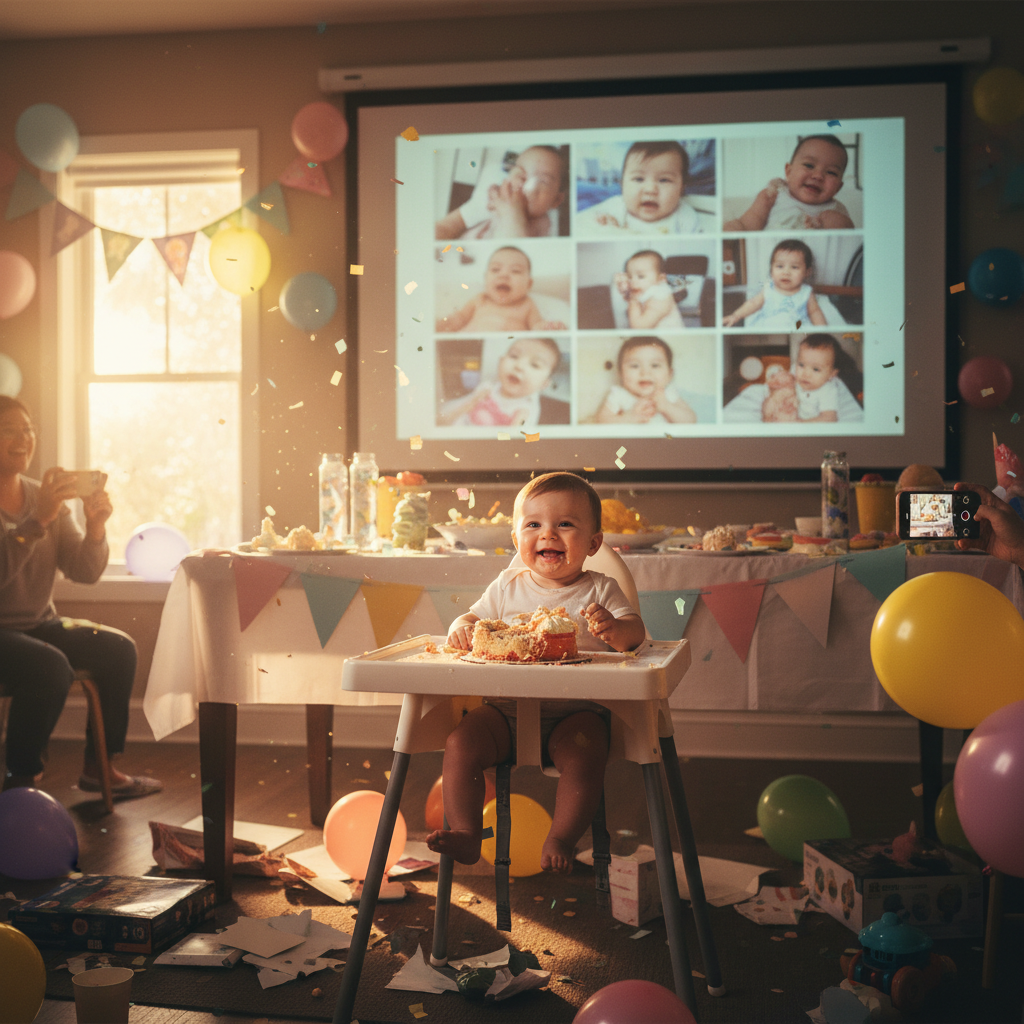
Once your baby first year slideshow is complete, it's time to share your beautiful creation! There are many ways to do this, catering to both digital and physical preferences. Consider hosting a small gathering with close family and friends to unveil the slideshow, perhaps as part of your baby's first birthday celebration. For those far away, sharing a private link online is the easiest option. You can also burn it to a DVD or save it to a USB drive as a more permanent physical keepsake. Don't forget to back up your slideshow in multiple locations! This precious memory deserves to be preserved and enjoyed for generations to come, reminding everyone of the wonder and joy of your baby's incredible first year.
Frequently asked questions
One short note. One great slideshow idea. Every week.
No spam. Unsubscribe anytime.
Comments (0)
Be the first to comment.
